Look, we’ve all been there. You buy a shiny new phone only to find it stuffed with "system apps" that you can't uninstall, half of which are just data-mining tools in disguise. To be honest, the state of stock Android apps in 2026 is a mess of subscriptions and "AI features" nobody asked for. If you’re craving a return to fast, private, and simple software, the Fossify App ecosystem is the only way to fly.
Since the original Simple Mobile Tools were sold off and turned into ad-riddled "premium" traps, the Fossify team has stepped up to fork and modernize the entire suite. We're talking about a full replacement for every core function on your phone—without the baggage.
Fossify Ecosystem: App Overview
App Name | Primary Function | Size (Avg) | Direct Download |
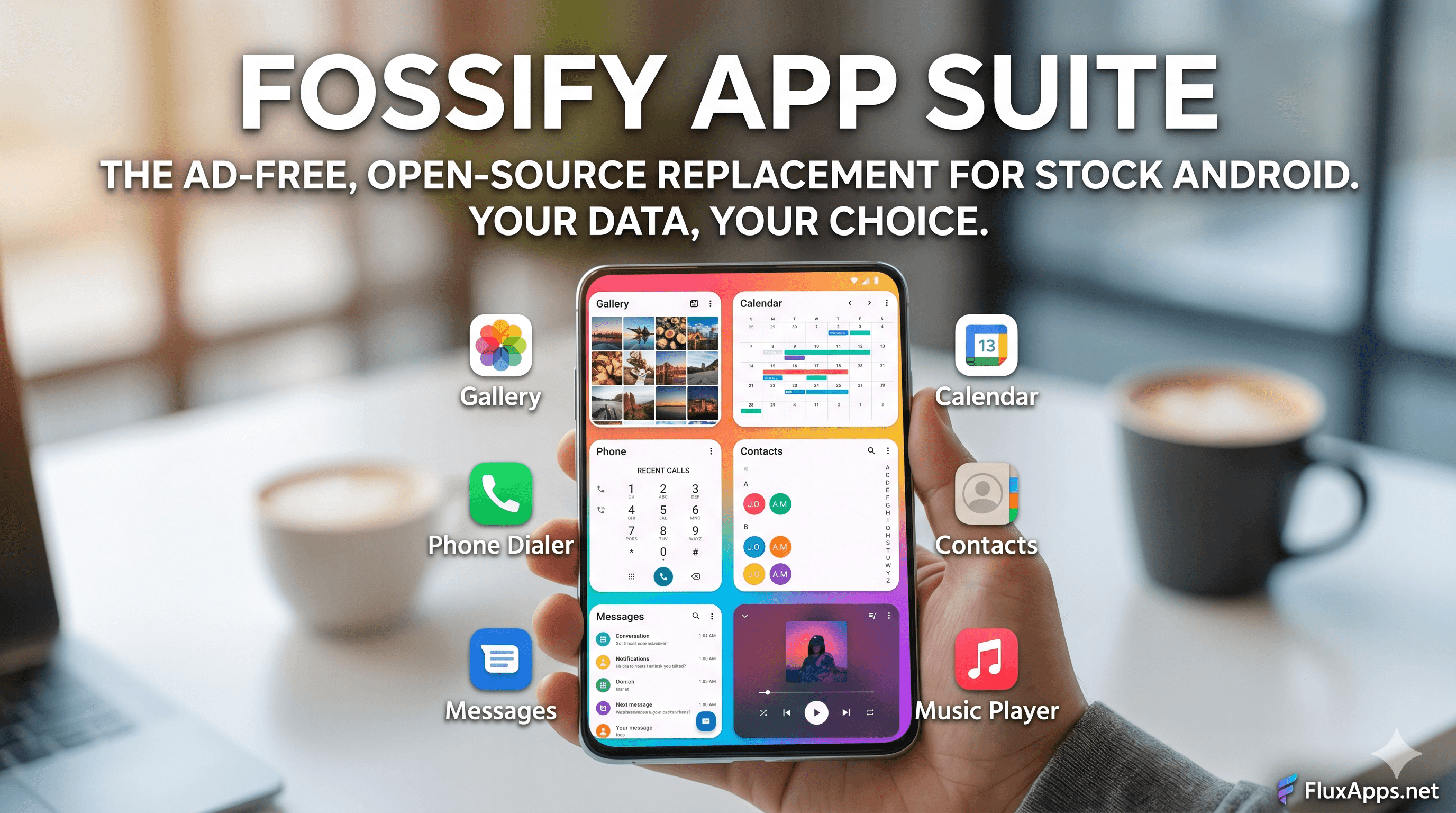
Fossify Gallery | Media Viewer & Editor | 12.4 MB | |
Fossify Calendar | Events & Scheduling | 6.8 MB | |
Fossify Phone | Dialer & Call Logs | 5.2 MB | |
Fossify Messages | SMS & MMS | 10.5 MB | |
Fossify Contacts | Address Book | 5.4 MB | |
Fossify Music | Local Audio Player | 8.1 MB |
The Full Fossify Ecosystem: A Deep Dive
Here’s the thing: Fossify isn't just one app; it’s a lifestyle change for your smartphone. By replacing your stock tools with the Fossify App suite, you're reclaiming your privacy one icon at a time.
Fossify Gallery: This is the crown jewel. It’s snappy, supports every file format from JPEGs to RAW, and includes a built-in editor that doesn't try to "beautify" your face into a plastic doll.
Fossify Calendar: Perfect for those who want their schedule on their phone, not on a cloud server. It supports CalDAV sync if you need it, but stays local-first by default.
Fossify Phone & Contacts: A clean, distraction-free calling experience. No "Promoted Businesses" in your search results—just your people.
Fossify Messages: A lightweight SMS client that actually respects your lock screen privacy settings.
Fossify Music Player: Remember when music players just played music? This one has a customizable equalizer and zero "suggested tracks" from artists you hate.
The Beta Lab: The ecosystem is expanding. You can now grab Fossify Launcher, File Manager, and even a Voice Recorder—all following the same "no-ads, no-nonsense" philosophy.
"The FluxApps Test": Living the De-Googled Life
We spent two weeks using nothing but the Fossify App suite on a Pixel 8 Pro. The result? Our "System" battery drain dropped by nearly 12%.
When you strip away the background telemetry that Google and Samsung bake into their "essential" apps, your processor actually gets to rest. The apps launch with zero lag because there’s no splash screen or "Checking for updates" hurdle. It’s the closest you can get to a "Linux-like" efficiency on a mobile device without actually flashing a custom ROM.
How to Install (Direct Download from FluxApps)
Don't bother with the fragmented versions across various stores. You can get the verified, stable builds directly from our portal.
Select Your App: Scroll to our download section and pick the Fossify APK you need.
Authorize Install: If prompted, allow your browser to "Install Unknown Apps."
Run the APK: Tap the file and hit "Install."
Set Defaults: For the Phone, Messages, and Gallery apps, go to Settings > Apps > Default Apps and select Fossify to ensure a seamless experience.
Pros & Cons
The Good
Privacy First: Most apps require zero internet permissions.
Modern Aesthetics: Fully supports Material You dynamic theming.
No Bloat: Small file sizes keep your storage free.
Community Driven: No corporate overlords tracking your every click.
The Bad
No Cloud Backup: If you lose your phone without a manual backup, your data is gone.
No AI Sorting: You’ll have to organize your own photo folders (imagine that!).
The Verdict
The Fossify App suite is for the user who is tired of being the product. It’s for the person who wants their phone to be a tool, not a billboard. If you value speed, battery life, and privacy over "smart" suggestions, head to our direct download section below and start swapping out your stock apps today.
Frequently Asked Questions
Q: Is the Fossify App suite really free? A: Absolutely. There are no "Pro" versions, no in-app purchases, and no subscription prompts. The project is supported by the community and open-source contributors.
Q: Do I need a rooted phone to use these? A: Not at all. These are standard APKs that run on any Android device (usually version 8.0 or higher). They work perfectly on stock software.
Q: Can I sync Fossify Calendar with my work email? A: Yes. While it defaults to local storage, it fully supports CalDAV, allowing you to sync with Nextcloud, Google Calendar, or Outlook via a sync adapter.
Q: Why should I download from FluxApps instead of the Play Store? A: We provide the direct, unmodified APKs that often bypass the regional restrictions or slow rollout schedules found on official app stores, ensuring you have the latest stable build instantly.